
Overview
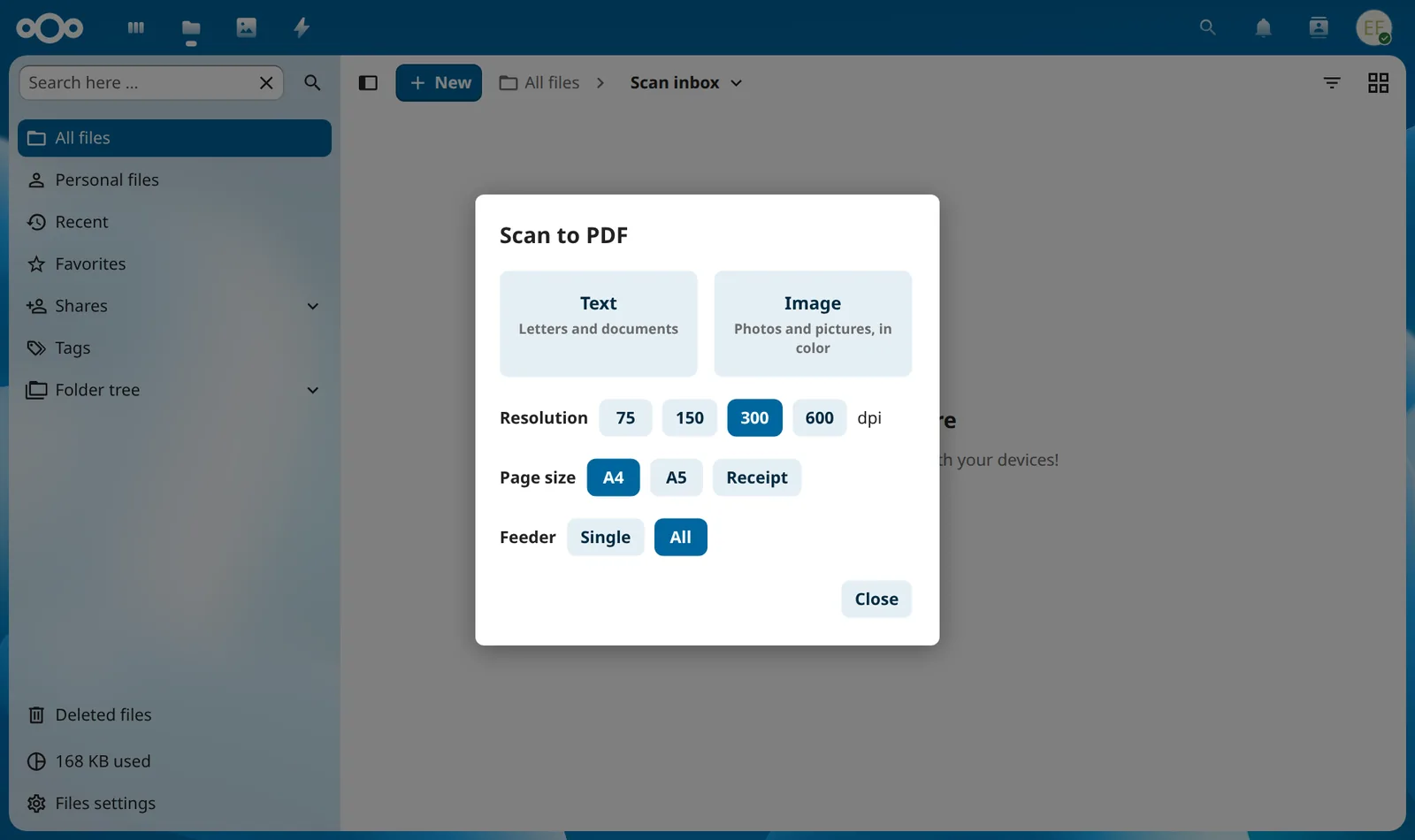
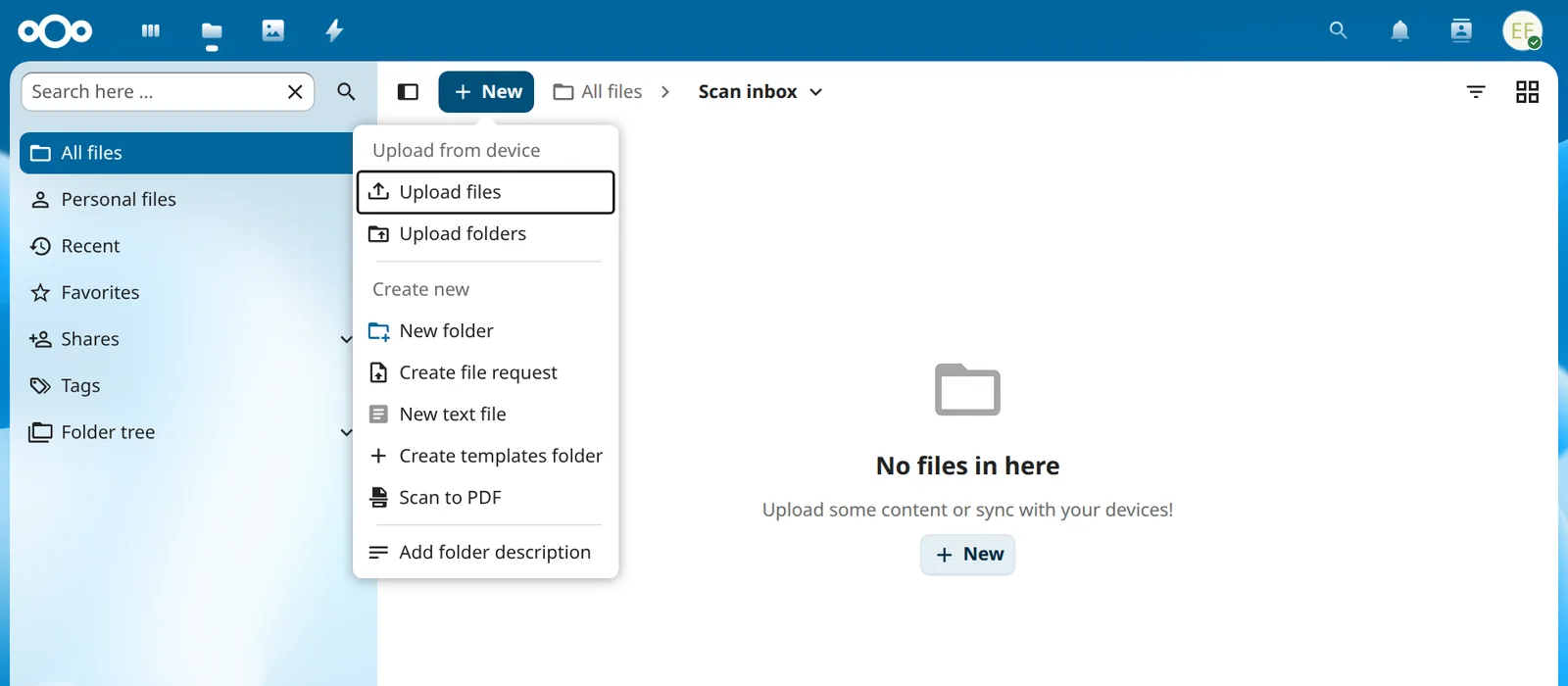
Scan to PDF brings your scanner into Nextcloud. In Files, + New has a Scan to PDF entry: choose text or image and the finished PDF lands in the folder you are in. Letters are stored losslessly in grayscale, sharp and small. If you like, scan without a computer using the button on the scanner.
What it does
- Any scanner with SANE. Connected to the server or on the network, whatever
scanimage -Lfinds works. - Multi-page. From the feeder, single or double sided, into one PDF.
- Sharp letters. Text is stored losslessly with 8 shades of gray: clear letters, small files.
- Receipts. A mode of its own for narrow slips of any length.
- Scanner button. Press once for text, twice for image. The PDF lands in the chosen folder.
- Clean pages. Removes the dark line at the end of the paper, straightens and skips blank pages where the driver supports it.
Installation
- Install
sane-utilson the server:sudo apt install sane-utils. The web server user has to see the scanner,scanimage -Lrun as that user has to list it. - In Nextcloud, as an administrator, search for “Scan to PDF” under Apps and choose Download and enable.
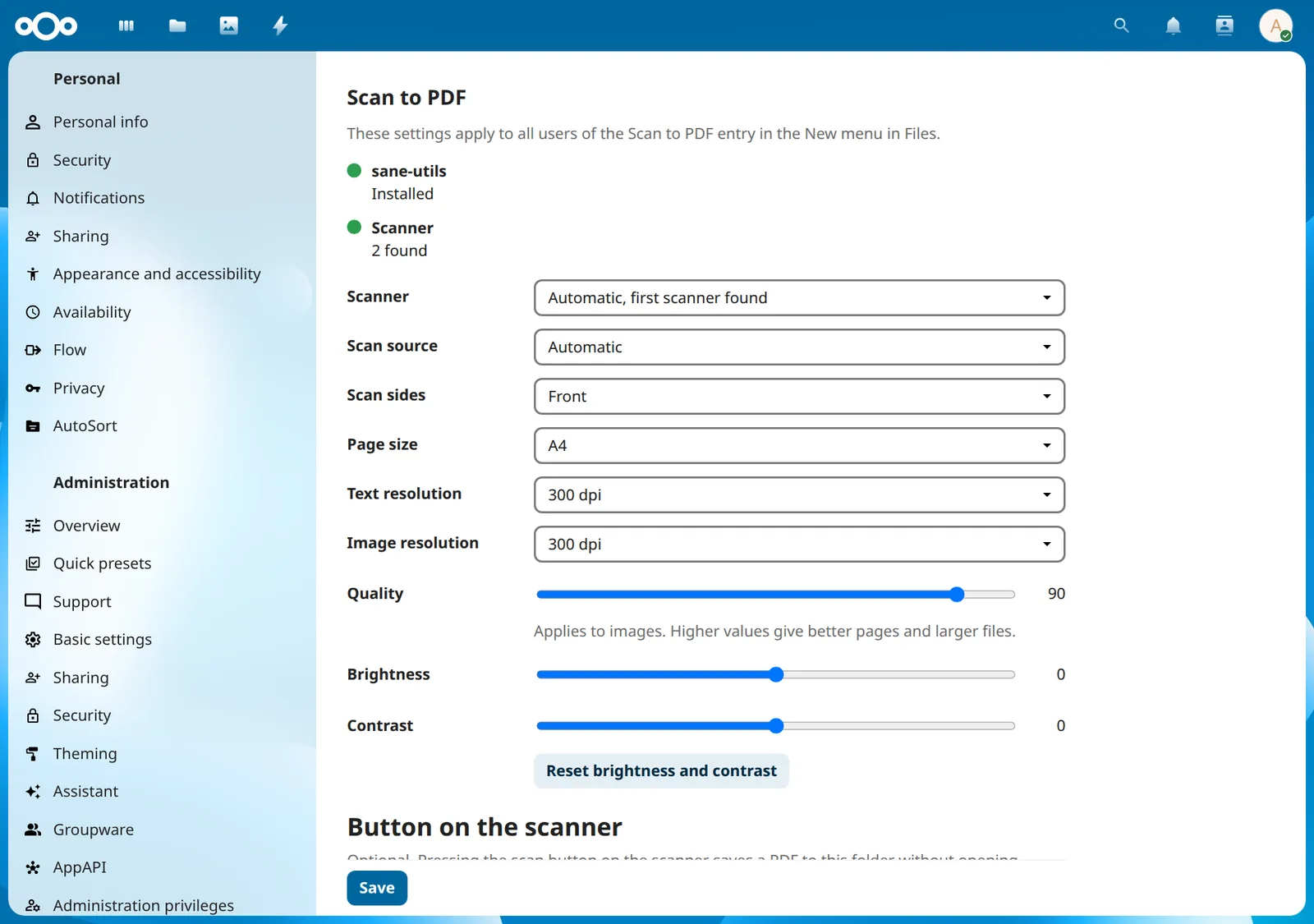
- Under Administration settings › Scan to PDF, green dots show whether everything is in place. Resolution, page size, brightness and contrast for everyone are set there too.
- To scan, open the target folder in Files and choose + New and then Scan to PDF.
Scanner button
For scanners whose SANE driver reports a button, run scripts/setup-button.sh from the app folder once as root on the server. It sets up scanbd. The settings page shows the exact path. Then switch the button on there and choose who gets the scans and in which folder.
How it's built
A Nextcloud app made of PHP and plain JavaScript without a build step. Scanning uses scanimage from sane-utils, the app builds the PDF itself without further programs. The scanner button works through scanbd and an occ command.
Changelog
v0.3.411 Nov 2026
First release for the Nextcloud App Store.
- Choose the page size in the scan dialog: A4, A5 or receipt
- Receipt mode: 80 mm wide, any length, always one-sided
- Feeder: scan a single sheet or everything in the feeder
- Clear the list of latest scans in the admin settings
- Signed for the Nextcloud App Store
FAQ
- Which scanners work?
- Every scanner SANE supports, via USB on the server or on the network. Tested with a Fujitsu ScanSnap S1500.
- Who can scan?
- Every logged-in user. Whatever is in the feeder ends up with whoever starts the scan.
- Does Scan to PDF recognize the text?
- No, Workflow OCR does that. Together with AutoSort the scans are then also filed, the guide shows how.