
Overview
Pipidy controls the Mijia Pipi lamp and Yeelight lamps directly in your Wi-Fi. The app talks to the lamps without going through the Xiaomi cloud and needs no account. For the Pipi lamp everything is on one screen: light, modes, motions, gestures and turning the head by remote control. How to get the lamps onto your network is explained under Installation.
What it does
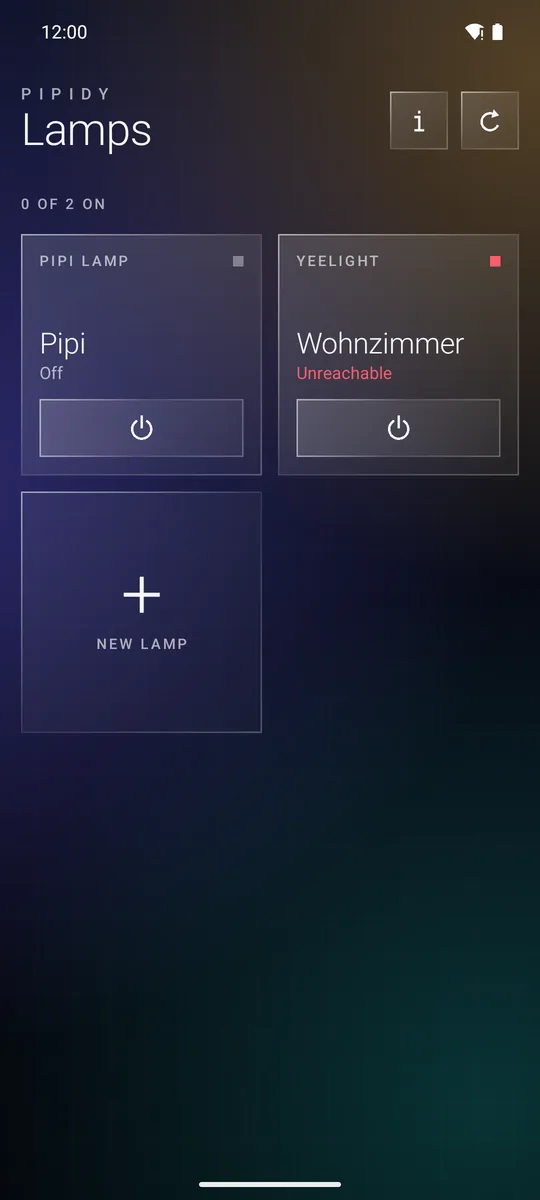
- All lamps at a glance. One tile per lamp with its state and a power button. The plus tile adds new lamps.
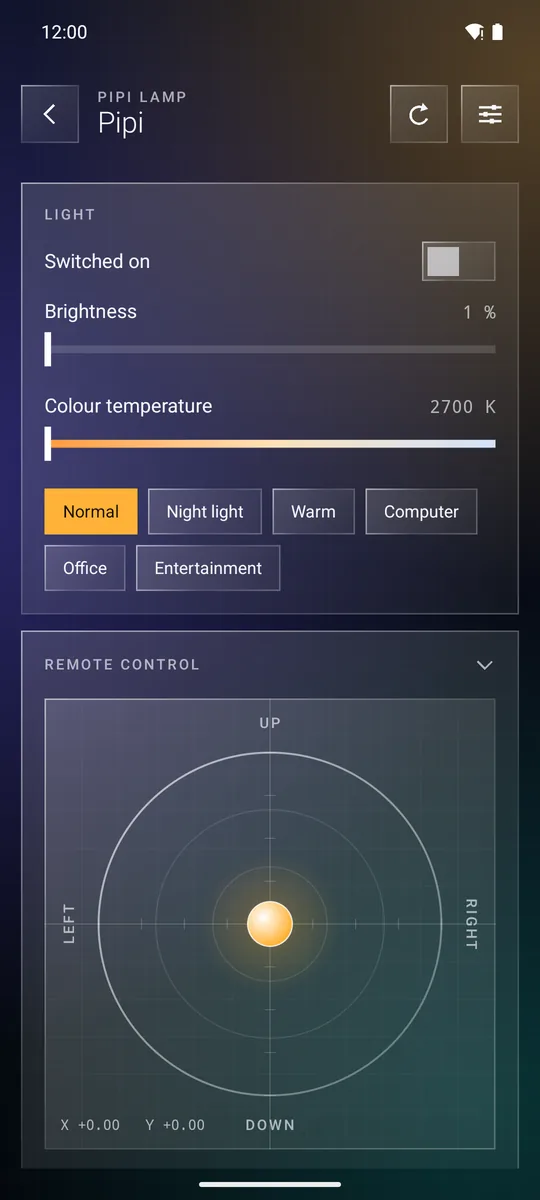
- The whole Pipi lamp. Brightness, colour temperature, six light modes, 14 motions, gesture detection, follow-along, personality and a sleep timer.
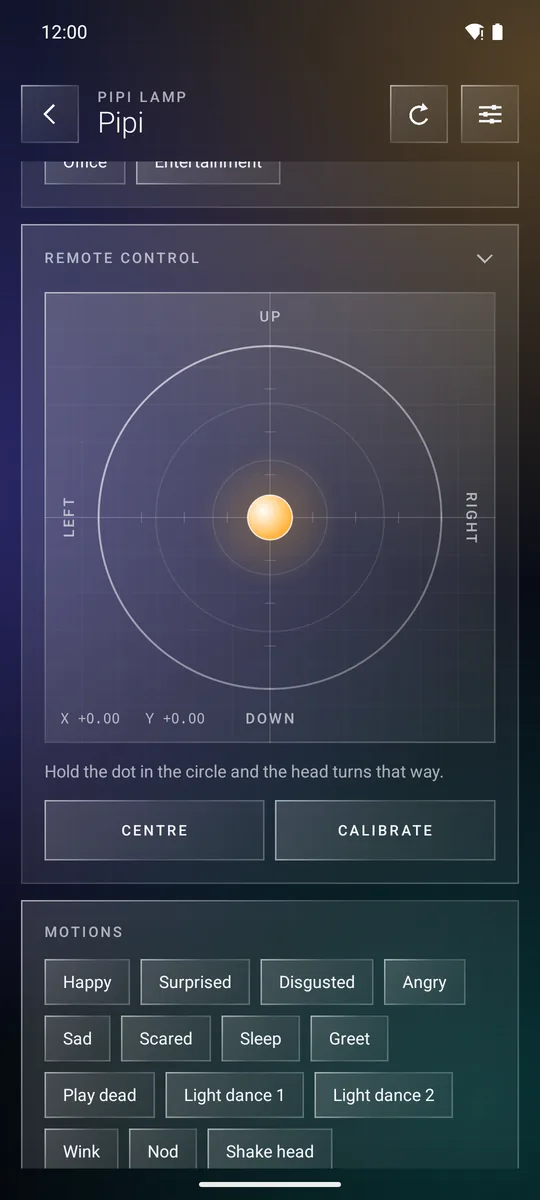
- Remote-control the head. Hold the dot in the steering circle and the head turns that way. Plus “Centre” and calibrate.
- Yeelights. Power, brightness, colour temperature and colour. Discovery finds lamps in your Wi-Fi.
- No cloud. Pipidy only talks to the lamps inside your home network. No account, no ads, no analytics.
Installation
- Download the APK from GitHub releases and install it.
- Get the lamps onto your Wi-Fi as described below.
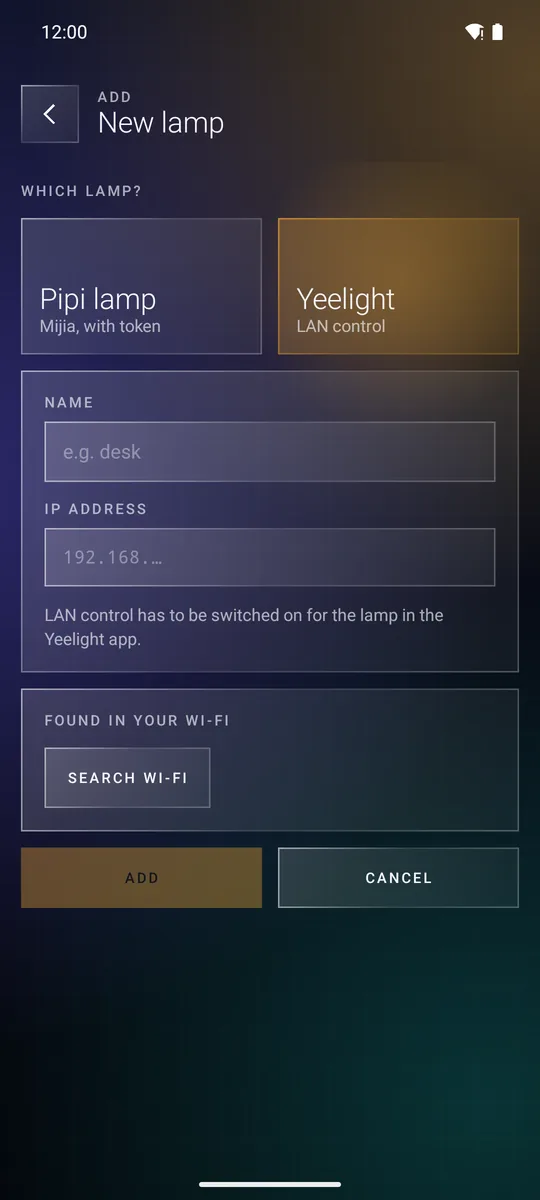
- In Pipidy tap “New lamp”, pick the type and enter the lamp.
Adding a Yeelight
- Get the lamp onto your Wi-Fi. The Yeelight app does this as usual; then switch on LAN control for the lamp there.
- Without any cloud or internet, use the script tools/lampe_offline.py from the repo: reset the lamp (switch it off and on five times, about two seconds each), connect your computer to the lamp's open Wi-Fi
yeelink-light-…and runpython3 lampe_offline.py. Choose “Yeelight” in the menu and enter your Wi-Fi details (2.4 GHz). The script switches on LAN control itself. It needs Python with thecryptographypackage. - In Pipidy go to “New lamp” → “Yeelight” → “Search Wi-Fi”. If nothing turns up, enter the IP address by hand. It's best to give the lamp a fixed address in your router.
Adding a Pipi lamp
- Add the lamp to the Mi Home app once. Choose “Mainland China” as the region, the lamp is made for the Chinese market. It needs internet for this once.
- Get the lamp's token, 32 characters. The easiest way is the Xiaomi Cloud Tokens Extractor (sign in with your Mi account, server “cn”). Once the lamp is on your Wi-Fi,
lampe_offline.pywith the menu entry “Pipi-Lampe” reads the token as well. - In Pipidy go to “New lamp” → “Pipi lamp” and enter name, IP address and token.
- After that you can block the lamp's internet access in your router again. It stays on the Wi-Fi and Pipidy keeps working.
Things to know about the Pipi lamp
- No control without binding it in Mi Home. A lamp that was never bound does answer, but refuses every command. Binding is needed only once.
- Setup does not work fully offline. A reset lamp without internet looks for the Xiaomi cloud and reopens its setup Wi-Fi
dreame-light-…after about two minutes. The cloud-free route used for Yeelights does not work for it. - New token after a reset. Resetting or re-binding the lamp changes its token. If Pipidy says “The token does not match”, enter the new token for the lamp in Pipidy.
- Only from its own network. The lamp only answers devices from its own subnet. If it sits in a separate IoT network, the router needs a NAT (masquerade) rule for UDP port 54321 towards the lamp. Otherwise Pipidy reports that it doesn't answer.
- Sometimes slow. The lamp occasionally answers late or not at all. “Refresh” helps.
- Calibrate and Centre. Calibrate starts the lamp's position calibration. “Centre” just straightens the head.
Yeelights in another network
Yeelights need no NAT rule, their LAN control (TCP port 55443) also works across networks. Only discovery won't find them there, so enter the IP address by hand.
Files of version 0.4.1
| File | Size | SHA-256 |
|---|---|---|
| Pipidy-0.4.1-release.apk | 2 MB | c558462920685c34136eb18f4b6937d6b1e9964cacc92cd133dc58de09b6cd91 |
Check on Linux with sha256sum filename, on Windows with certutil -hashfile filename SHA256. The files are served by GitHub.
How it's built
Kotlin with Jetpack Compose, the interface built from custom glass components without Material 3. The Pipi lamp speaks the miIO protocol over UDP port 54321, encrypted with its token. Yeelights are switched through their LAN control on TCP port 55443 and found via SSDP. The app has no server and no account.
Changelog
v0.4.111 Nov 2026
New in 0.4.1
- Recorded motions are no longer lost. The lamp only accepts a limited amount of data per command and dropped longer recordings without a reply. Recording now shows how much memory is used and stops on its own in time. Calm motions reach 30 seconds, constant back and forth about 25.
- Gestures and games each have an emoji.
v0.4.011 Nov 2026
New in 0.4.0
- Light modes as in Mi Home: Computer, Working, Cozy, Night light, Wink, Blinking, Breathe. Create, edit and delete your own modes with brightness, colour temperature and blinking. Replaces the old mode buttons; "Entertainment" had no effect on the lamp.
- A separate switch for the light next to "Lamp on".
- Record, play, rename and delete your own motions. Built-in motions now carry their official names.
- Character: mood by name, personality, birthday and how many days the lamp has been with you.
- Interaction and imperceptible following, plus a page about gestures and games.
- Schedules to switch on and off. They only run when the lamp knows the time.
- Fault messages from the lamp (heat, motor, interference) show at the top of the page.
- The lamp is read faster, and pages keep their position when you go back.
v0.3.011 Nov 2026
New in 0.3.0
- Remote control for the Pipi lamp: the steering circle now turns the head.
- Calibrate uses the lamp's position calibration, plus a new "Centre" button.
- The remote control panel folds open and closed.
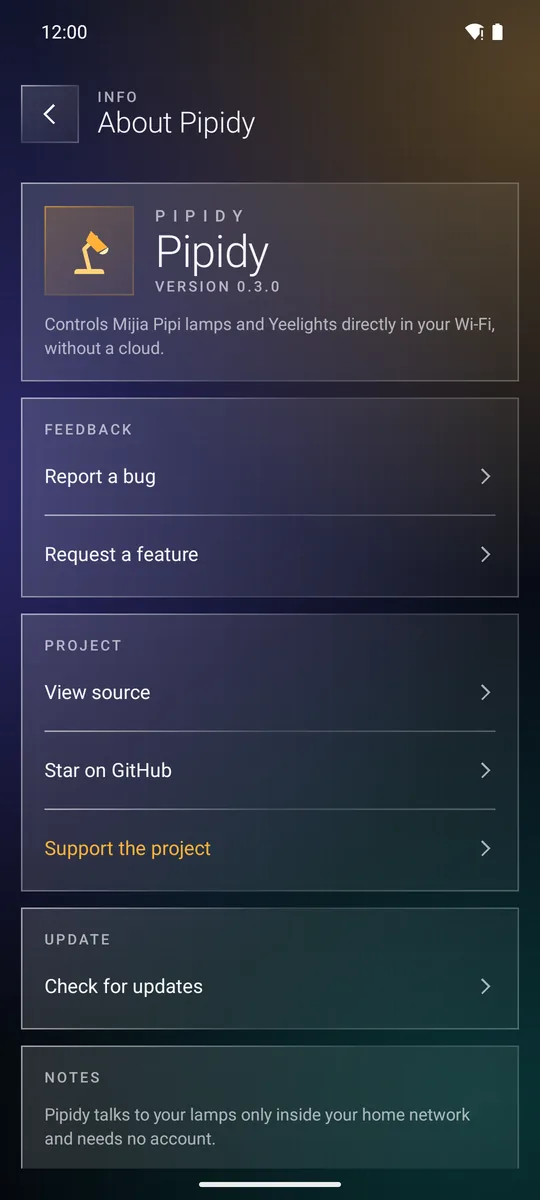
- New about page with feedback, project links and an update check.
- English and German, following the system language. On Android 13 and later it can also be set per app.
A Pipi lamp accepts commands only after it has been added to Mi Home once. After that it works without internet.
v0.2.010 Nov 2026
New
- Dashboard with one tile per lamp: name, state and power button. The plus tile adds a new lamp. The existing lamp is carried over.
- Yeelight lamps over LAN control: power, brightness, colour temperature, colour and discovery in the Wi-Fi.
- New design made of rectangles and glass panels, without Material 3.
- Pipi lamp: "Kalibrieren" (calibrate) button and a steering circle in a coordinate field. The steering circle does not send anything yet, the lamp's data format is still unknown.
v0.1.08 Nov 2026
FAQ
- Do I need a Xiaomi account?
- Not for Yeelights. The Pipi lamp has to be bound in Mi Home once, never again after that. Pipidy itself needs no account.
- Do the lamps need internet?
- Yeelights never, if you set them up with the script. The Pipi lamp once for setup, after that you can block its internet access.
- Does it work away from home?
- No, Pipidy only talks to the lamps in your home network. Through a VPN to home it works if the router passes the requests on to the lamp.
- Which lamps work?
- The Mijia Pipi lamp (dreame.light.r2229) and Yeelights with LAN control. Tested with Yeelight colour bulbs.
- Is Pipidy made by Xiaomi?
- No. Pipidy is not affiliated with Xiaomi, Dreame or Yeelight.