
Overview
Run several services behind Nginx Proxy Manager and sooner or later you want to know where the traffic actually goes. NPMcountdy reads the proxy's access logs and shows how much was served per domain, per path and per file, to whom, at what time of day and to which countries. The numbers stay put long after the proxy has deleted its logs.
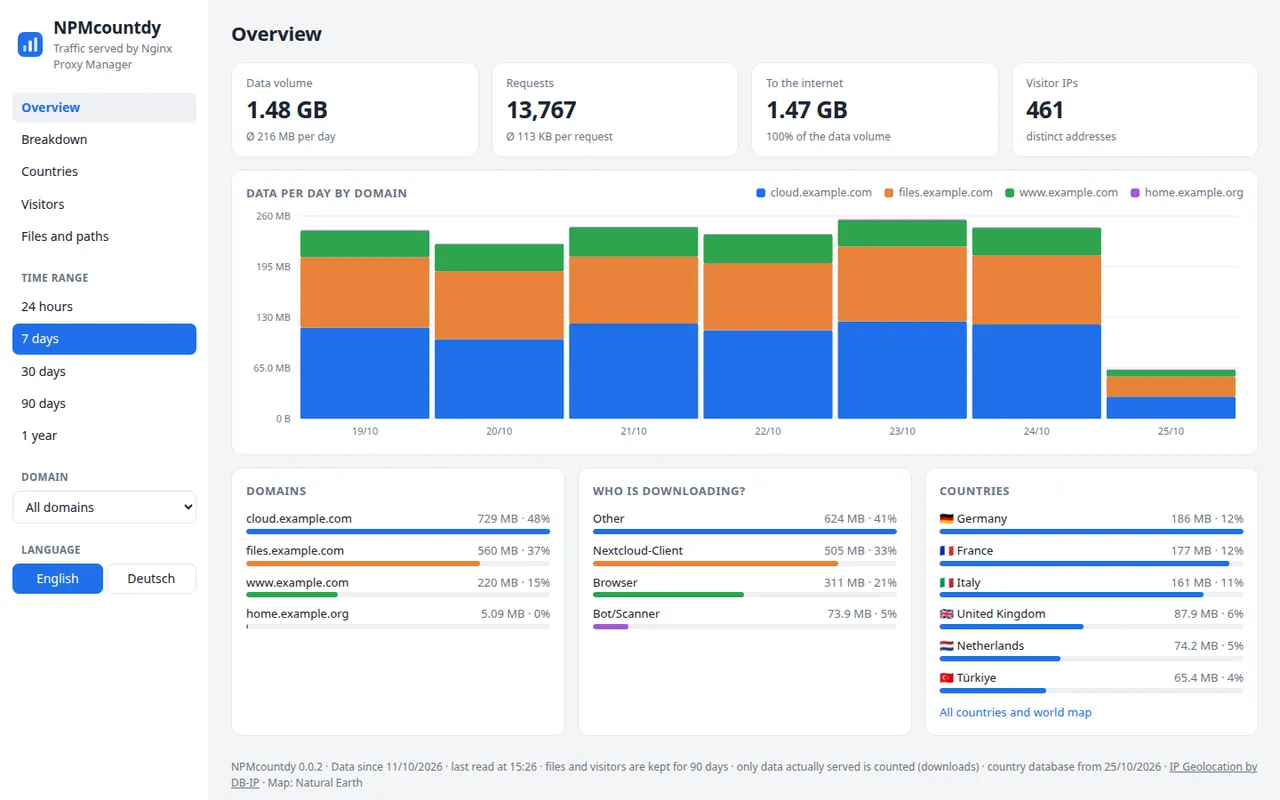
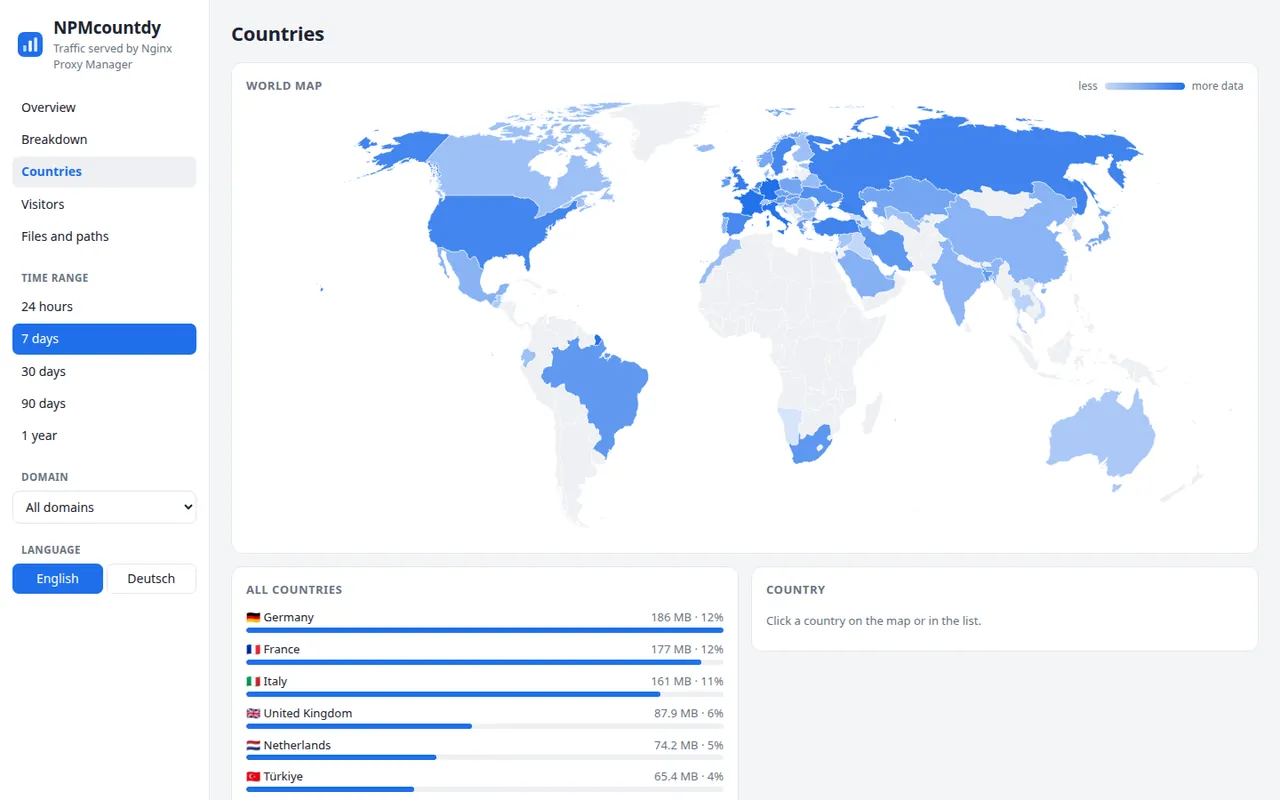
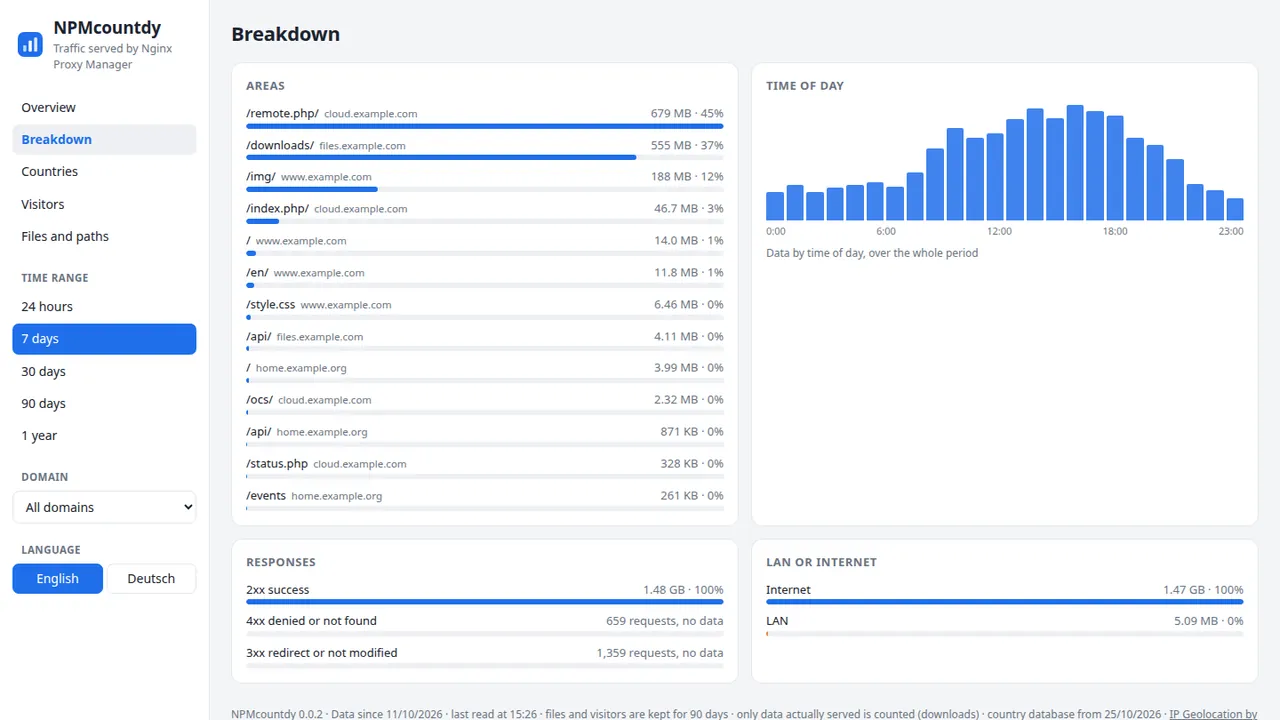
What it does
- Per domain and path. Data and requests per proxy host and per path, such as
/downloads/or/api/, plus the largest files. - Who's downloading? Browsers, sync clients, bots and scanners are told apart by their user agent and counted separately. Everything else, such as your own apps, goes under Other.
- Countries and world map. Visitor IPs are looked up locally in the free DB-IP database. No address leaves the server.
- Time of day and responses. When the traffic happens, how much succeeded and how much stayed on the LAN.
- Survives log rotation. Hourly totals are kept for good. On first start NPMcountdy also reads logs that were already rotated, compressed ones included.
- Keeps little data. Files and visitor IPs are deleted after 90 days, and paths are cut to three levels so no individual file names end up in the database.
Installation
- On the machine running Nginx Proxy Manager, clone the repository:
git clone https://github.com/Glenn-Dandy/NPMcountdy.git - Check the proxy's log folder in
docker-compose.yml(default/opt/data/logs). It is mounted read-only. - Run
docker compose up -d --buildand open the dashboard on port 7881. - NPMcountdy has no login of its own. Run it on your LAN only, for example as a proxy host with an access list that only lets your home network in.
How it's built
A single Python program with no extra packages: one thread reads the new log lines every minute, a small HTTP server delivers the API and the dashboard. The numbers live in SQLite. The front end is plain JavaScript, the charts and the world map (Natural Earth) are hand-drawn SVG, light and dark. The container runs read-only, without root and with a 256 MB memory limit.
Changelog
v0.0.225 Oct 2026
Release notes in German.
v0.0.125 Oct 2026
Release notes in German.
FAQ
- Does it count uploads?
- No. It only counts what the proxy served, so downloads only.
- What about Cloudflare?
- Then the log shows Cloudflare's address instead of the visitor's. One line in the proxy configuration brings back the real addresses, the README explains how.
- Is anything sent out?
- No. Only the country database is downloaded once a month. With
GEOIP=offeven that is skipped.