
Overview
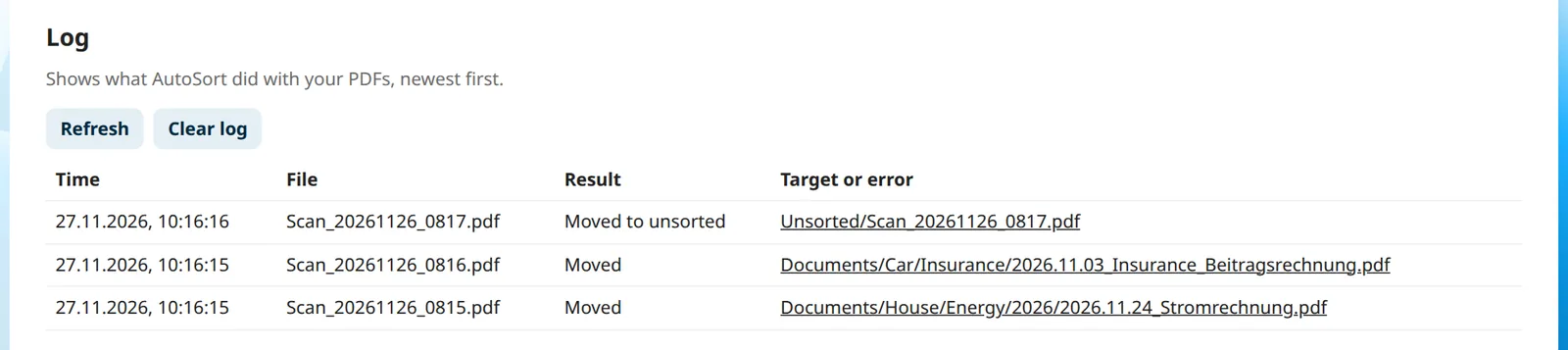
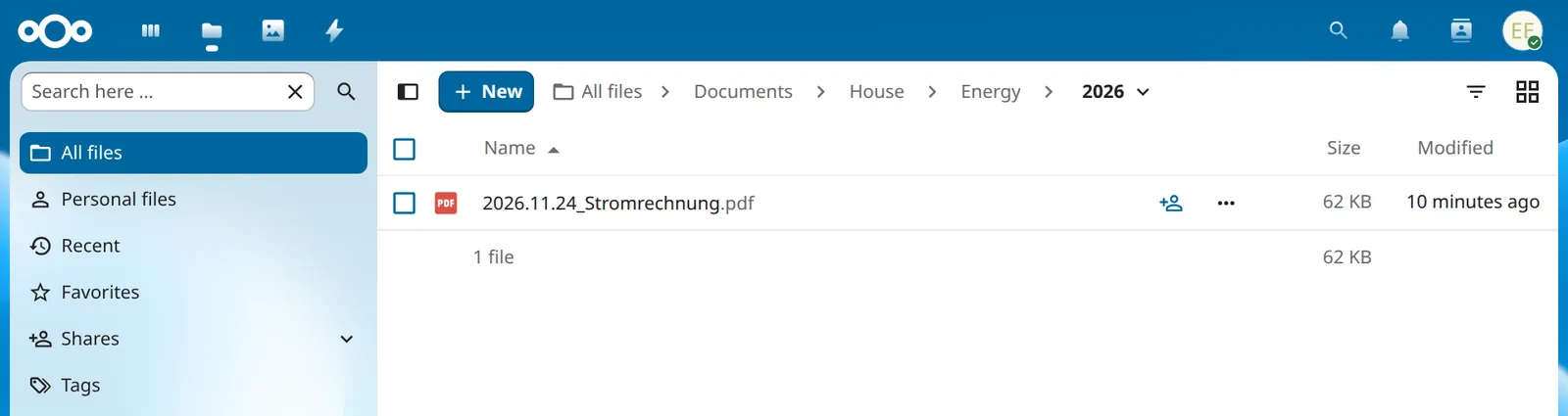
AutoSort tidies up your scan folder in Nextcloud. It reads the text of every new PDF, finds the matching rule and files it under a meaningful name in the right folder, such as Documents/House/Energy/2026/2026.11.24_Stromrechnung.pdf. Every user sets up their own rules. Together with Workflow OCR it also sorts scans without text, the guide shows how.
What it does
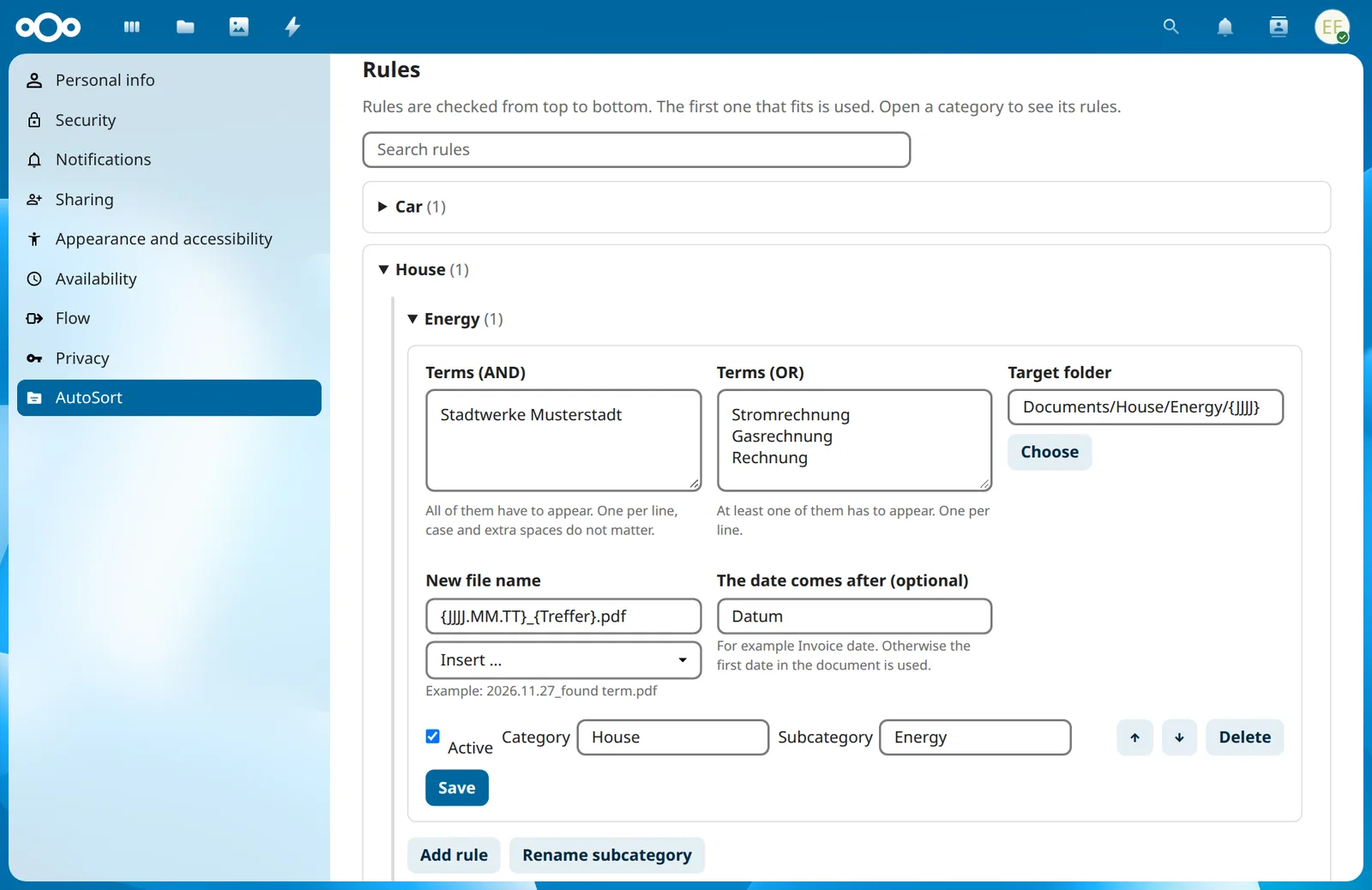
- Rules made of words. Every word of the AND list has to appear, at least one of the OR list. Case and extra spaces do not matter.
- Meaningful names. Placeholders for the date in the document, the matching word and the old name, such as
{JJJJ.MM.TT}_{Treffer}.pdf. Duplicate names get a number. - Date from the text. Recognizes 24.11.2026, 24.11.26, 24. November 2026 and 24. Nov 2026, optionally only after a word such as “Rechnungsdatum”.
- Categories. Many rules stay tidy in categories and subcategories, with a search.
- Try first. “Try it out” shows which rule fits a PDF and what it would be called, without moving it.
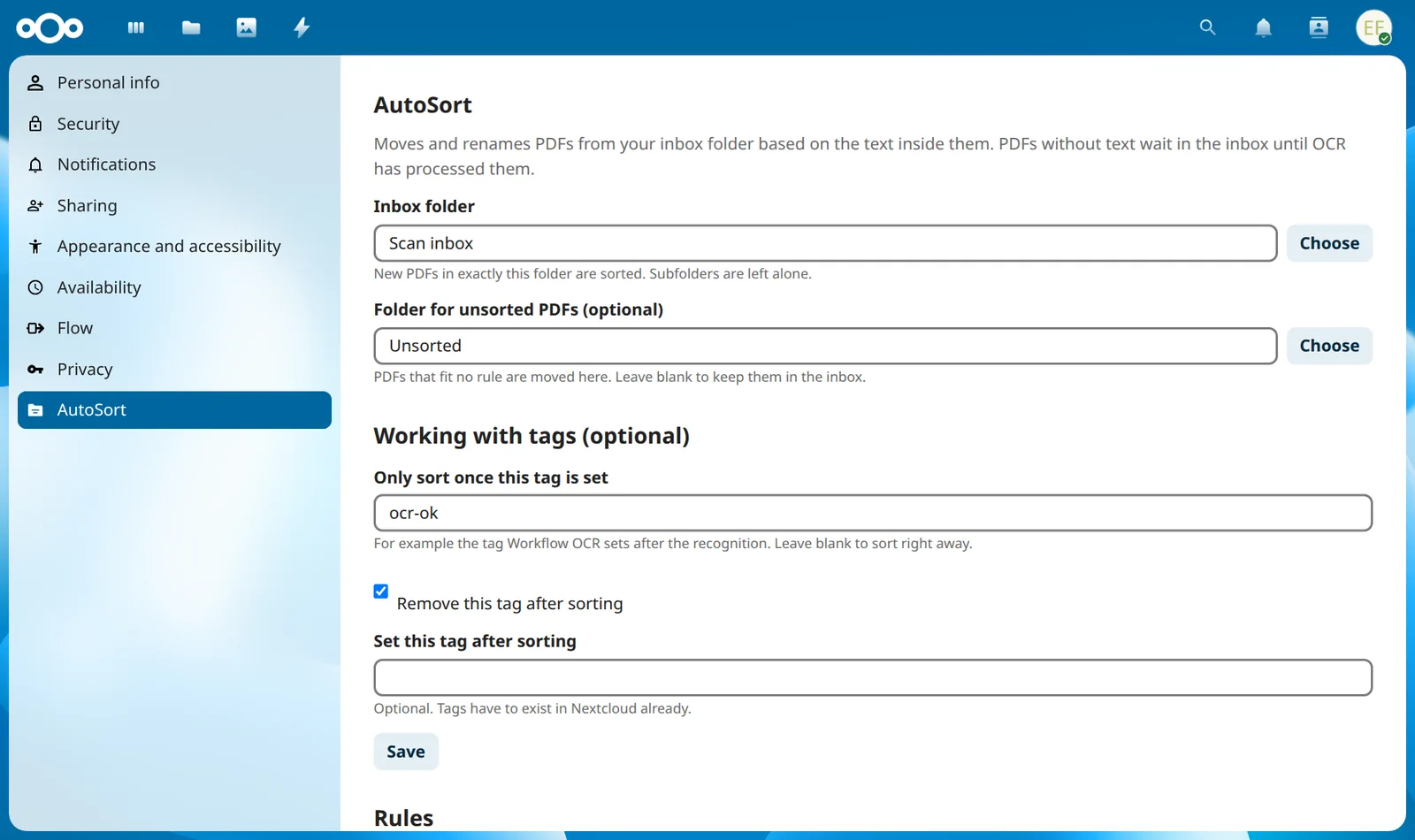
- With Workflow OCR. Optionally AutoSort waits until the text recognition has set a tag.
Installation
- Install
pdftotexton the server, on Debian and Ubuntu withsudo apt install poppler-utils. - In Nextcloud, as an administrator, search for “AutoSort” under Apps and choose Download and enable.
- Under Personal settings open AutoSort, choose the inbox folder and add the first rule.
- For scans without text, also set up Workflow OCR. The step-by-step guide shows how both work together.
How it's built
A Nextcloud app made of PHP and plain JavaScript without a build step. The text is read by pdftotext from poppler-utils. New files in the inbox and assigned tags start a background job that checks the rules from top to bottom. Rules and log live in the Nextcloud database, separately for each user.
Changelog
v0.8.327 Nov 2026
- Recognizes dates with a two-digit year such as "24.11.26", only in the numeric form so that "3. Mai 15 Uhr" does not become a date (thanks to @cranberriesvideo, #1, #2)
v0.8.211 Nov 2026
First release for the Nextcloud App Store.
- Recognizes dates with short month names such as "8. Jul 2026" and without a dot after the day such as "8 Juli 2026"
- Reading a PDF stops after 60 seconds or 10 MB of text, so a damaged PDF no longer blocks anything
- Signed for the Nextcloud App Store
FAQ
- Does AutoSort do OCR itself?
- No. AutoSort only reads PDFs that already contain text. For scans the Workflow OCR app does that, and AutoSort can wait until it is done.
- Can users see each other's rules?
- No. Rules, folders and log belong to one user each.
- What happens to PDFs no rule fits?
- They go to the folder for unsorted PDFs, or stay in the inbox if none is set.
- Are files overwritten?
- No. If the name already exists, AutoSort adds _1, _2 and so on.